Table of Contents
Introduction
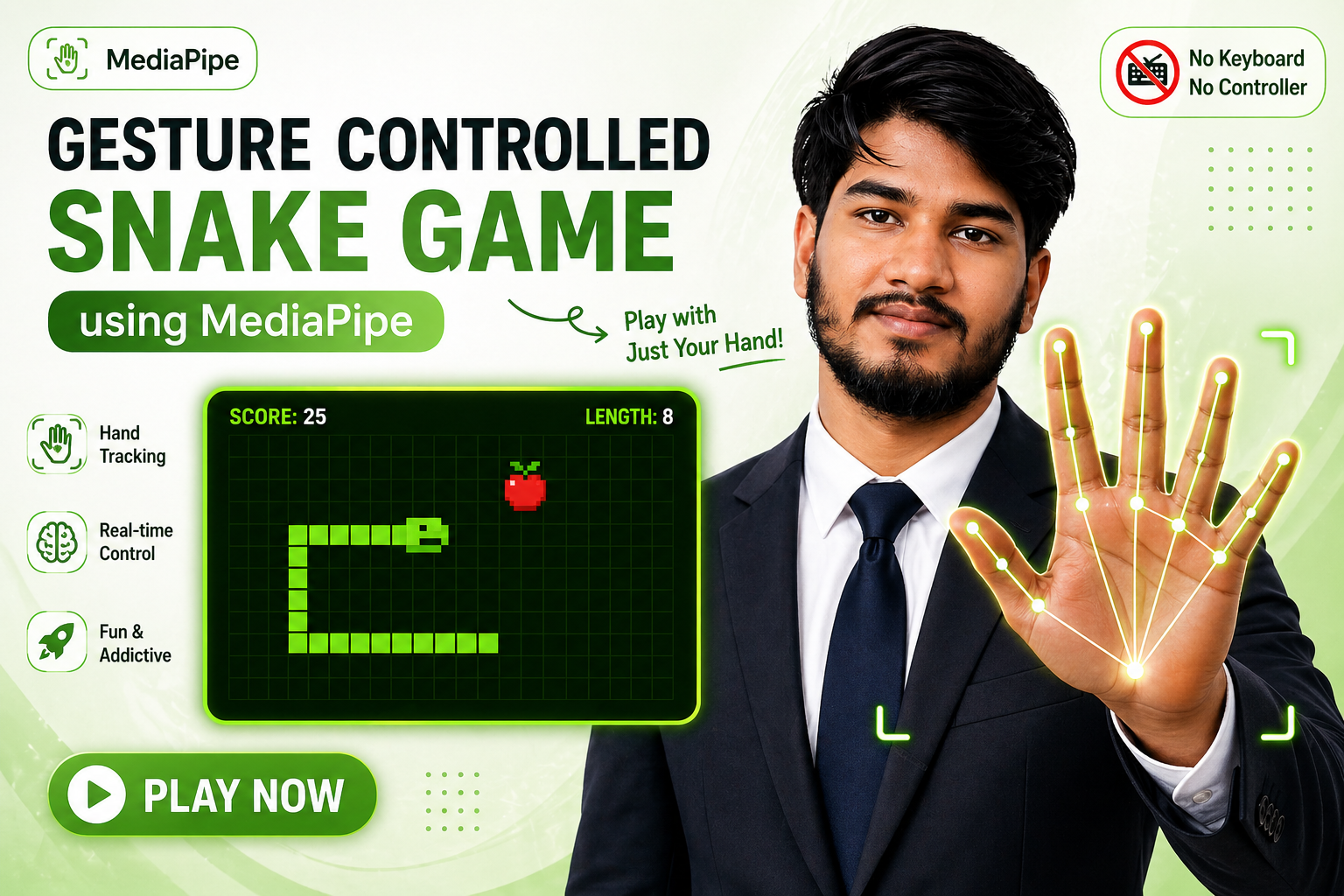
The gesture controlled snake game is a simple idea but feels very different when you actually try it. Instead of pressing arrow keys, you control the snake using your hand in front of a webcam. It sounds small, but once you see it working in real time, it feels like something out of a futuristic interface.
This project uses MediaPipe Hands, which is capable of detecting detailed hand movements directly in the browser. When combined with a classic snake game, it becomes a really good example of how computer vision can be used in everyday web applications.
In this article, you will understand how the gesture controlled snake game works internally and how you can build the same thing step by step using a single HTML file.
Basic Idea Behind the Project
At its core, the gesture controlled snake game has two main parts. One is the hand tracking system, and the other is the snake game logic.
The hand tracking system continuously reads frames from your webcam and detects the position of your fingers. The game logic then converts those finger positions into movement directions for the snake.
So instead of pressing up, down, left, or right, you are simply moving your fingers in a certain way, and the system translates that into commands.
AI Prompt
Build a gesture-controlled Snake game as a single self-contained HTML file using MediaPipe Hands for real-time hand tracking via webcam.
Game mechanics:
Snake game on a grid (cell size ~26px), food spawns randomly, snake grows on eating, dies on wall or self collision. Game speed: move every 7 frames. Show score and best score. Particle burst effect when food is eaten.
Single-hand gesture controls (4 gestures):

Index finger pointing UP (other fingers curled) → snake moves UP
Index finger pointing DOWN → snake moves DOWN
ALL fingers open/extended (low curl) → snake moves RIGHT
ALL fingers closed/fist (high curl) → snake moves LEFT
Detect using tip-vs-PIP joint y-position relative to palm size. Arrow keys as keyboard fallback.

Visuals:

Webcam feed visible at 60% opacity as background, mirrored (scaleX -1)
Dark tint overlay (rgba 0,2,14 at 50%) over the camera for readability
Neon cyberpunk HUD using Orbitron font, cyan color scheme (#00ffff)
Scanline effect + radial vignette overlay
Corner bracket decorations, score top-left, best score top-right
Hint pills showing gesture legend across the top
Direction compass (3x3 grid of arrows) at the bottom center, active direction highlighted
Gesture status card showing current detected gesture and resulting direction

Hand skeleton rendering (on a separate canvas above the game):

Draw all 21 MediaPipe landmarks connected by neon-colored bones (color per finger using hues: thumb=300, index=195, middle=55, ring=140, pinky=22)
Each bone has an outer glow pass + thin white core line
Joints rendered as glowing circles; fingertip joints have an animated pulse ring
Curl indicator arc above the palm — arc color shifts green (open) to magenta (closed), shows gesture label (UP/DOWN/LEFT/RIGHT) above it

Snake rendering:

Head = bright cyan (hue 180), tail fades to purple (hue 260) using lerp
Each segment uses a custom rounded-rect function (no roundRect API — implement manually with arcTo for browser compatibility)
Inner highlight on each segment, snake head has two white eyes that face movement direction
Food: pulsing magenta circle with bright core + orbiting sparkle dot

Screens:

Loading screen with spinning ring while MediaPipe initializes
Start screen overlay with gesture instructions
Game Over screen showing final score, new best indicator, replay button
If camera is denied: show error with "Continue Without Camera" button for keyboard-only play

Technical:

Two separate canvas elements: one for hand tracking (z-index 2), one for game (z-index 3)
MediaPipe loaded from cdn.jsdelivr.net/npm/@mediapipe/hands and @mediapipe/camera_utils
Render loop via requestAnimationFrame, loop starts only once
maxNumHands: 2, use whichever hand is detected (Left or Right)
Grid dots drawn each frame as subtle background textureHow Hand Tracking Works
MediaPipe Hands detects 21 points on your hand. These points include the fingertips, finger joints, and parts of the palm. Using these points, we can figure out how each finger is positioned.
For example, if the tip of your index finger is above its joint, it means the finger is pointing upward. If it is below, then it is pointing downward. This simple comparison is enough to detect direction.
Another important concept is finger curl. When your fingers are fully open, the distance between joints is larger. When your fingers are closed, those distances shrink. This is used to detect whether the hand is open or forming a fist.
This combination of direction and curl is what makes the gesture controlled snake game reliable.
Gesture Mapping Logic
The gesture controlled snake game uses four main gestures. The idea is to keep it simple so the detection remains stable.
When the index finger is pointing up, the snake moves upward. When the index finger points down, the snake moves downward. If all fingers are open, the snake moves to the right. If all fingers are closed, it moves to the left.
There is also a small condition added to prevent the snake from reversing directly into itself. This keeps the gameplay smooth and avoids accidental game overs.
Snake Game Mechanics
The game itself follows the classic snake behavior that most people already know. The snake moves continuously on a grid. Every time it eats food, it grows longer.
Food appears at random positions, but it never overlaps with the snake’s body. When the snake eats food, the score increases and a small particle effect is shown for visual feedback.
If the snake hits the wall or collides with itself, the game ends. The final score is displayed, along with the best score achieved so far.
Even though the logic is simple, combining it with gesture control makes the gesture controlled snake game feel fresh.
Visual Design Approach
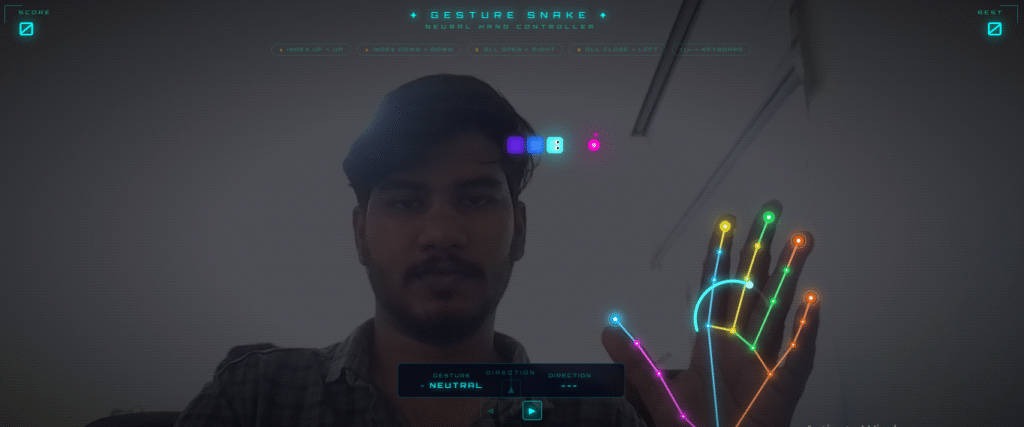
One thing that makes this project stand out is the visual design. The background shows a live webcam feed at reduced opacity. This helps the player align their hand properly without making the screen too cluttered.
A dark overlay is added on top of the camera feed so that the game elements remain clearly visible. The interface uses a neon-style color scheme with glowing text and panels.
There are also small UI elements like direction indicators and gesture labels. These help the user understand what the system is detecting at any moment. Without this feedback, it would be harder to control the game accurately.
Rendering the Hand
The gesture controlled snake game does not just detect the hand, it also draws it on the screen. Each finger is connected using lines, and different colors are used for each finger.
The joints are highlighted with small glowing circles. Fingertips have a slightly animated effect, which makes the tracking feel more alive.
There is also a visual indicator that shows how open or closed the hand is. This helps in debugging and also improves user understanding.
Game Loop and Performance
The entire system runs using requestAnimationFrame. This ensures that both the hand tracking and the game rendering stay in sync with the browser’s refresh rate.
The snake does not move every frame. Instead, it moves after a fixed number of frames. This keeps the movement speed consistent and playable.
Even with real-time hand tracking, the gesture controlled snake game performs smoothly in modern browsers like Chrome and Edge.
Running the Project
To run the gesture controlled snake game, you just need to save the code in an HTML file and open it in a browser. There is no need for installation or server setup.
When you open the file, the browser will ask for camera permission. Once you allow it, the system starts detecting your hand.
If the camera is not available, the game still works using keyboard controls. This makes it accessible even without gesture input.
Common Issues
Sometimes the gesture detection may not feel accurate. This usually happens due to lighting conditions or camera quality. Good lighting and a clear background improve tracking significantly.
Another issue could be performance drops if too many browser tabs are open. Closing unnecessary applications helps maintain smooth gameplay.
Conclusion
The gesture controlled snake game is a good example of how traditional games can be enhanced using modern browser technologies. It combines computer vision, real-time interaction, and simple game mechanics into one compact project.
What makes it interesting is not just the game itself, but how easily it runs in a browser without any heavy setup. This opens the door to many similar projects where gestures can replace traditional inputs.
If you are building projects for your portfolio, this gesture controlled snake game is a strong addition. It shows both creativity and technical understanding in a very practical way.
External Links
Reference article:
- MediaPipe Hands official documentation:
https://developers.google.com/mediapipe/solutions/hands - JavaScript requestAnimationFrame reference:
https://developer.mozilla.org/en-US/docs/Web/API/window/requestAnimationFrame - WebRTC getUserMedia documentation:
https://developer.mozilla.org/en-US/docs/Web/API/MediaDevices/getUserMedia
Internal Links
Article Information
Author: zealyen.it
Last Updated: April 30, 2026
This article is part of our practical learning series focused on embedded systems, STM32, Arduino, and IoT.