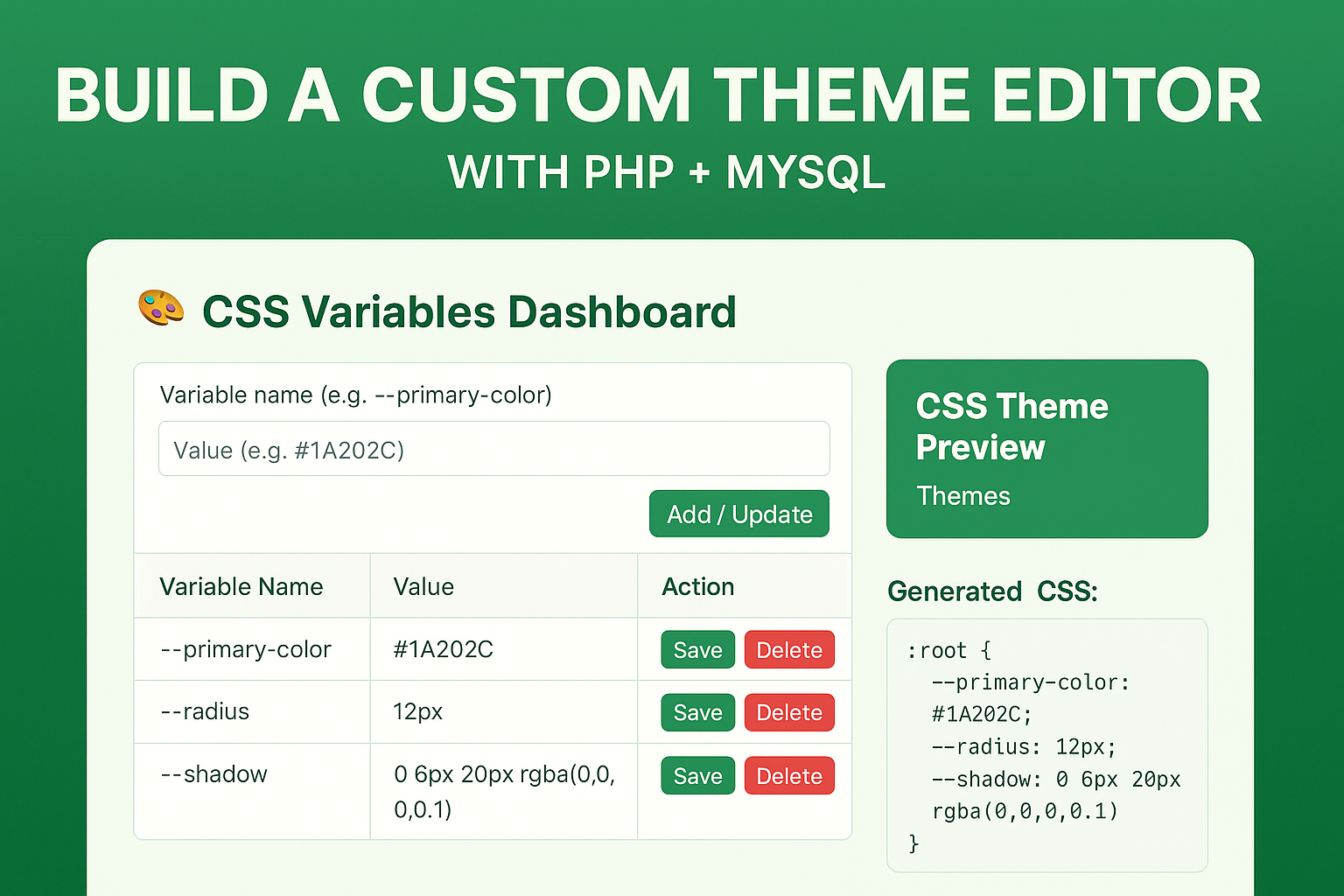
Managing a website’s look can be tricky — especially if you’re changing styles manually. In this guide, you’ll learn how to build a PHP MySQL theme editor that lets you update and preview CSS variables dynamically from a simple dashboard.
A website’s visual identity is one of those tasks that sounds simple — “just change this colour here, that font size there” — but in practice ends up being fiddly. What do you do if you hard‑coded your primary brand colour in 50 different rules? Or you want to give a client the ability to tweak the site’s look (colours, spacing, shadows) without handing over the CSS? This is where a theme‑editor for CSS variables comes in.
In this post I’ll walk you through how to build a CSS‑Variables Dashboard using PHP + MySQL. The idea: define your design tokens (colours, radii, shadows) as CSS custom properties (aka variables). Then provide a simple dashboard for creating/updating/deleting those variables and regenerating the :root { … } block automatically. Use those variables everywhere in your site, and boom — you’ve handed control of the theme to whoever uses the dashboard.
Why use CSS variables (custom properties)?
Before we jump into code, it helps to understand why CSS variables are worth the effort. They’re not magic, but they give you real benefits:
- Single source of truth: When you define
--primary-color: #0055FF;once (say in:root), you can usevar(--primary-color)in hundreds of rules. Changing it updates everywhere. This avoids duplication and reduces maintenance. - Better readability and semantics: Using meaningful names like
--radiusor--shadowmakes your CSS more understandable compared to dozens of “12px”, “0 6px 20px rgba(0,0,0,0.1)”, etc. - Theming & runtime flexibility: Because CSS variables are dynamic (in contrast to pre‑processor variables), you can switch themes (light/dark), update values via JavaScript, or set them per component scope.
- Maintainability in larger apps: On big websites with many style rules, replacing hard‑coded values becomes error‑prone. Variables make mass updates safer.
In short: once your site uses a design system built around variables, you dramatically reduce the friction of making style changes or handing control over to non‑CSS folks.
The Idea: A Dashboard to Manage Your CSS Variables
Here’s how our tool works:
- You have a database table (e.g.,
themes) where each row defines a variable: name + value. - On the admin dashboard you can: add a new variable (
var_name,var_value), edit existing ones, or delete them. - Whenever you update the variables, the system regenerates a block of CSS like:
:root { --be-color-theme-primary: #0D3C7A; --radius: 12px; --shadow: 0 6px 20px rgba(0,0,0,0.1); /* … etc … */ } - That CSS gets output/injected into your page (or written to a file) so that your site can use those variables everywhere.
- On the dashboard page you also get a “live preview” box styled with the current variables (so you can immediately see the effect), and you show the generated CSS for transparency.
This gives you — or a client — a friendly UI to manage theme tokens, instead of hunting through CSS files.
Setting Up Your PHP MySQL Theme Editor
The Full Code Listing
Below is the complete PHP code you provided, annotated and ready to copy‑paste into your dashboard page. You’ll of course adapt it to your structure (DB connection path, auth logic, table names). I’ll also explain the main parts.
<?php
error_reporting(E_ALL & ~E_NOTICE);

if($keyhash === "123"){
  include("../components/db_connect.php");
  session_start();

  /* Add / Update / Delete */
  if ($_SERVER['REQUEST_METHOD'] === 'POST') {
      if (isset($_POST['delete_id'])) {
          $id = intval($_POST['delete_id']);
          mysqli_query($conn, "DELETE FROM themes WHERE id=$id");
          $_SESSION['delete'] = "Variable deleted successfully!";
      } else {
          $name = mysqli_real_escape_string($conn, $_POST['var_name']);
          $value = mysqli_real_escape_string($conn, $_POST['var_value']);
          if (!empty($_POST['id'])) {
              $id = intval($_POST['id']);
              mysqli_query($conn, "UPDATE themes SET var_value='$value' WHERE id=$id");
              $_SESSION['update'] = "Variable updated successfully!";
          } else {
              mysqli_query($conn, "INSERT INTO themes (var_name, var_value) VALUES ('$name', '$value')
              ON DUPLICATE KEY UPDATE var_value='$value'");
              $_SESSION['create'] = "Variable added successfully!";
          }
      }
      header("Location: ?page=cssvars");
      exit;
  }

  /* Fetch Variables */
  $vars = mysqli_query($conn, "SELECT * FROM themes ORDER BY id ASC");

  /* Generate CSS Preview */
  ob_start();
  echo ":root {\n";
  while ($row = mysqli_fetch_assoc($vars)) {
      echo "  --{$row['var_name']}: {$row['var_value']};\n";
  }
  echo "}\n";
  $generatedCSS = ob_get_clean();
?>
<!-- … HTML dashboard markup follows … -->
<style>
<?= $generatedCSS ?>

.preview-box {
  background: var(--be-color-theme-primary, #0D3C7A);
  color: var(--be-color-common-white, #fff);
  padding: 40px;
  border-radius: var(--radius, 12px);
  text-align: center;
  margin-top: 20px;
  box-shadow: var(--shadow, 0 6px 20px rgba(0,0,0,0.1));
}
input.color-input {
    width: 100%;
    padding: 8px;
    border-radius: 6px;
    border: 1px solid var(--be-color-border-1, #ccc);
}
.color-box {
    width: 25px;
    height: 25px;
    border-radius: 4px;
    border: 1px solid #ccc;
    margin-left: 8px;
    display: inline-block;
}
</style>

<h3 class="mb-4 text-primary">🎨 CSS Variables Dashboard</h3>

<form method="POST" class="row g-2 mb-4">
  <div class="col-md-5">
    <input type="text" name="var_name" class="form-control" placeholder="Variable name (e.g., be-color-theme-primary)" required>
  </div>
  <div class="col-md-5">
    <input type="text" name="var_value" class="form-control" placeholder="Value (e.g., #0D3C7A)" required>
  </div>
  <div class="col-md-2">
    <button type="submit" class="btn btn-info w-100">Add / Update</button>
  </div>
</form>

<table class="table table-bordered">
  <thead>
    <tr>
      <th style="width:40%;">Variable Name</th>
      <th style="width:40%;">Value</th>
      <th style="width:20%;">Action</th>
    </tr>
  </thead>
  <tbody>
<?php
  mysqli_data_seek($vars, 0);
  while ($row = mysqli_fetch_assoc($vars)):
      $color = '';
      if(preg_match('/^#([a-fA-F0-9]{3}|[a-fA-F0-9]{6})$/', $row['var_value'])){
          $color = $row['var_value'];
      }
?>
    <tr>
      <form method="POST">
        <input type="hidden" name="id" value="<?= $row['id'] ?>">
        <td data-label="Name"><?= htmlspecialchars($row['var_name']) ?></td>
        <td data-label="Value">
          <div style="display:flex; align-items:center;">
            <input type="text" name="var_value" value="<?= htmlspecialchars($row['var_value']) ?>" class="color-input" style="flex:1;<?= $color ? "background:$color;color:".((hexdec(substr($color,1,2))+hexdec(substr($color,3,2))+hexdec(substr($color,5,2)))/3>128 ? "#000":"#fff").";" : "" ?>">
            <?php if($color): ?>
            <span class="color-box" style="background:<?= $color ?>;"></span>
            <?php endif; ?>
          </div>
        </td>
        <td data-label="Actions">
          <button class="btn btn-warning btn-sm" type="submit">Save</button>
          <button class="btn btn-danger btn-sm" name="delete_id" value="<?= $row['id'] ?>" onclick="return confirm('Delete this variable?')">Delete</button>
        </td>
      </form>
    </tr>
<?php endwhile; ?>
  </tbody>
</table>

<div class="preview-box">
  <h4 style="font-size: var(--be-fs-h2, 36px);">CSS Theme Preview</h4>
  <p style="font-size: var(--be-fs-p, 18px);">Themes</p>
</div>

<div class="mt-4">
  <h6>Generated CSS:</h6>
  <pre style="background:#eee;padding:10px;border-radius:10px;max-height:300px;overflow:auto;"><?= htmlspecialchars($generatedCSS) ?></pre>
</div>

</div>

<?php } // end if($keyhash === "123") ?>
How the Code Works – Section by Section
Let’s break it down so you understand each part.
1. Authorization / Entry Guard
if($keyhash === "123"){
  include("../components/db_connect.php");
  session_start();
A simple check to ensure only authorized users can access this dashboard (you’ll likely want to replace this with your own login/auth logic). Then you include your database connection and start the session to store status messages ($_SESSION['create'], etc).
2. Handling Form Submissions (Add / Update / Delete)
if ($_SERVER['REQUEST_METHOD'] === 'POST') {
    if (isset($_POST['delete_id'])) {
        // Delete variable
    } else {
        // Add or update variable
    }
    header("Location: ?page=cssvars");
    exit;
}
- If the user clicked delete (via
delete_id), youDELETE FROM themes WHERE id=…. - Otherwise you capture
var_nameandvar_value.- If
idis present -> an update. - Else -> insert. Note: using
ON DUPLICATE KEY UPDATEensures that ifvar_nameis unique this will update instead of fail.
- If
- Store a session message for feedback, then redirect to the same page to avoid reposts.
3. Fetching Variables
$vars = mysqli_query($conn, "SELECT * FROM themes ORDER BY id ASC");
You get all variables, ordered by their id, so you can display them.
4. Generating the CSS Block
ob_start();
echo ":root {\n";
while ($row = mysqli_fetch_assoc($vars)) {
    echo "  --{$row['var_name']}: {$row['var_value']};\n";
}
echo "}\n";
$generatedCSS = ob_get_clean();
- Start an output buffer, print the
:rootselector and then loop through all variables, creating CSS lines like--name: value;. - The resulting string is stored in
$generatedCSS. - This gets echoed inside a
<style>tag in the page, meaning the page (and potentially your site) will include it.
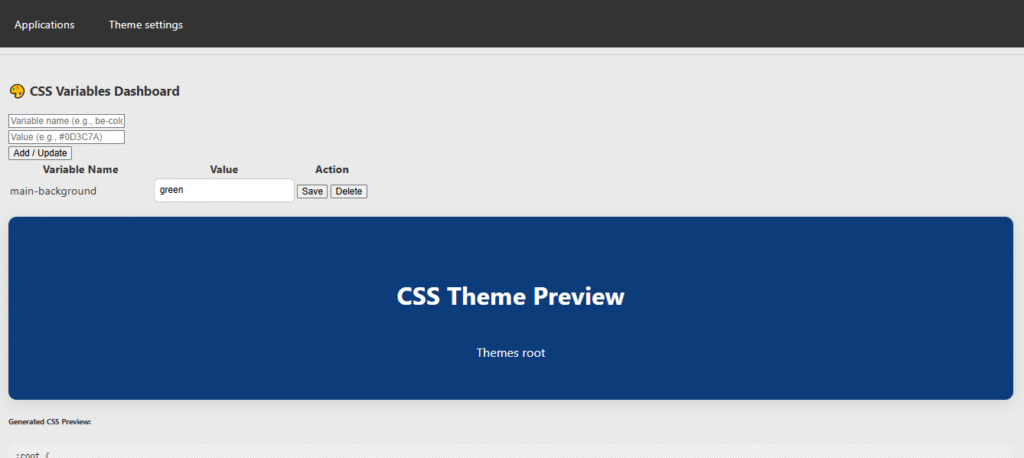
5. HTML Dashboard & Live Preview
The rest of the page shows:
- Feedback alerts (create/update/delete successes).
- A form to add/update variables (name + value).
- A table listing existing variables, with inline editing and delete buttons.
- A preview box (with class
.preview-box) which uses some of the CSS variables (for examplevar(--be-color-theme-primary)) so you can see a real‑time effect. - At the bottom a
<pre>block showing the generated CSS string so you can copy it if needed.
6. Style Definitions
Within the <style> tag you output the generated CSS, plus additional styles for .preview-box, .color-input, .color-box.
Key parts:
.preview-box {
  background: var(--be-color-theme-primary, #0D3C7A);
  color: var(--be-color-common-white, #fff);
  padding: 40px;
  border-radius: var(--radius, 12px);
  box-shadow: var(--shadow, 0 6px 20px rgba(0,0,0,0.1));
}
This shows how you actually use the variables in your design: --be-color-theme-primary, --radius, --shadow.
How to Integrate into Your Site
Here’s how you deploy this setup in a real website environment:
- Database setup – Create a table. For example:
CREATE TABLE `themes` ( `id` INT NOT NULL AUTO_INCREMENT, `var_name` VARCHAR(255) UNIQUE, `var_value` VARCHAR(255), PRIMARY KEY (`id`) ); - Protect the dashboard – Instead of
if($keyhash === "123"), integrate with your site’s login/auth system so only authorised users can access and modify theme variables. - Include the generated CSS site‑wide – You can either:
- Include the dashboard page’s output inside a
<style>tag on your front‑end (if you serve dash + front through same system).Or better: save$generatedCSSstring to a file (e.g.,theme‑vars.css) whenever changes occur, and have your site’s<head>load that CSS file. That way theme changes propagate site‑wide.
file_put_contents(__DIR__.’/theme-vars.css’, $generatedCSS); Then in your site’s <head>: <link rel=”stylesheet” href=”/path/to/theme-vars.css”> or use in css file @inclue url(‘php file name.php’); - Include the dashboard page’s output inside a
- Use variables in your CSS – Throughout your site’s stylesheets use:
body { background-color: var(--be-color-theme-primary);color: var(--be-color-common-white); } .card { border-radius: var(--radius); box-shadow: var(--shadow); }This ensures that when you update those variables, the entire site adapts. - Naming conventions matter – Decide on a naming scheme for your variables (e.g.,
be‑color‑theme‑primary,be‑fs‑h2,radius,shadow). Keep names consistent and meaningful. Good naming helps long‑term maintainability. - Live preview & feedback – The
.preview-boxin the dashboard gives immediate feedback. You might extend this further by showing more components or parts of your site inside the dashboard for theme testing.
Learn more about CSS Custom Properties (MDN)
Why This Dashboard Approach Is Valuable
- Empowering non‑developers: Designers or clients can adjust branding variables without touching CSS. No risk of breaking layout, no code edits.
- Rapid theme updates: Want to swap primary colour or adjust spacing/radius across the entire site? Change it once, done.
- Centralized design tokens: Instead of variables scattered across many stylesheets, you have a single source of truth.
- Improved maintainability: When new components are added, developers reference your variables rather than hard‑coded values.
- Support for theming: While this dashboard is simple, you could extend it to support multiple theme sets (light/dark, seasonal skins) by adding a theme‑column or separate table.
- Transparency and control: Dashboard shows the generated CSS block; you know exactly what CSS variables are being used.
- Better separation of concerns: Developers focus on styles that use the variables; the admin dashboard focuses on what the variables are.
Things to Improve or Extend
Certainly this is a minimal‑viable version. Here are some enhancements you may consider:
- Validation of variable values: For example, ensure that colour values are valid hex codes or CSS colour functions. Prevent invalid inputs.
- Scoping variables per theme: Add a
theme_namecolumn in thethemestable, allow selecting which theme you’re editing (e.g.,default,dark,holiday2025). Then save separate CSS blocks per theme. - Write to an external file instead of inline output, so your front‑end and caching work smoothly.
- Previews of multiple UI components: Instead of a single
.preview-box, include previews of buttons, cards, headers, links — so non‑devs can immediately see how changes affect the site. - Versioning / history: Keep records of changes (who changed what, when), maybe allow rollback.
- Light/dark mode toggle: Use a class on
<html>(e.g.,.dark-theme) that changes some variables via CSS, or load a dark theme CSS block. - Integrate with CSS preprocessors: If you use SCSS/LESS, you might define your variables in SCSS but map them to CSS custom properties (so you keep developer‑friendly tooling and runtime flexibility).
- Support other value types: Not just colours, but typography variables (
--fs‑h2,--fw‑heading), spacing, grid units, animation durations. - Access control & validation: Ensure only authorised users can edit; validate inputs to guard against XSS/SQL injection.
- Caching / performance: If you output the CSS inline for every page request, you might have performance issues; better to cache to a file and serve statically.
Real‑World Use Cases
Here are some example scenarios where this kind of dashboard makes a lot of sense:
- Brand refresh: A client re‑brands, wants a new primary colour, border radius and shadow style. Instead of rewriting CSS, you update variables and the site adapts instantly.
- White‑label sites: You build sites for multiple clients based on the same template. Each client gets access to the dashboard to tweak their theme (colours, spacing, font sizes) without changing code.
- Marketing landing pages: You might run seasonal campaigns (holiday, summer, Black Friday) and want to change theme colours for a short period. Swap variables in the dashboard, revert later.
- Internal style systems: Large companies with component libraries can expose this dashboard to designers so they manage tokens centrally, while developers consume them in components.
- Dark mode light mode toggle: Using variables you can define one set of tokens for light theme and override for dark theme; the dashboard may allow editing both sets.
Caveats & Things to Watch
While this approach is powerful, there are some things to keep in mind:
- Browser support: CSS custom properties are widely supported in modern browsers. However, if you must support older browsers (especially IE11), you may need fallbacks or a build step.
- Unit consistency: When editing values, ensure you include units (
px,rem, etc.) as required. A value without unit may break styles. - Scope and specificity: Variables defined in
:rootare global; but you may want component‑scoped variables sometimes. Be cautious of unintended overrides. - Naming chaos: If variable names are inconsistent or ambiguous (e.g.,
--main-colorvs--brand-primaryvs--btn-bg), it’ll become confusing. Establish naming conventions. - Performance: If you inject large CSS blocks inline on every page request, this may affect load time. Better to generate once and serve as a cached file.
- Security / validation: Because non‑developers will be editing values, ensure you validate inputs to avoid malicious CSS or invalid values.
- Over‑abstraction: Just because you can variable-ize everything doesn’t mean you should. Sometimes simple hard‑coded values for one‑off components are fine. Variables are most useful for tokens that are reused.
- Fallbacks: If a variable is accidentally removed or misnamed, you might introduce broken styles. Using fallback values (
var(--var-name, default)) is a good habit.
Final Thoughts
The era of monolithic CSS files full of “magic numbers” and “hard‑coded colours everywhere” is going out of fashion. Modern design systems lean heavily on tokens — centralised definitions for colours, spacing, typography — and CSS custom properties give you a powerful, native way to implement them.
By pairing that with a small dashboard UI for editing those tokens, you make your site theme‑ready, client‑friendly, and future‑proof. Designers can tweak the brand colours, spacing, shadows; developers can rely on consistent variables across components; clients can make simple visual changes without breaking anything.
If you adopt this pattern:
- Set up your variable dashboard (as shown above).
- Use variables everywhere in your site’s styles.
- Whenever you need a visual tweak, change the token, not the rule.
- Over time you’ll discover that design changes become less scary — you won’t be hunting through 20 files to change a colour or radius.
- And — importantly — you give non‑developers a safe, intuitive interface to manage the look and feel of the site.
If you’re ready to hand off control of the site’s theme to your team, your client, or even yourself in the future, this is a highly recommended approach.
In conclusion, a PHP MySQL theme editor is a practical solution for managing CSS design tokens dynamically. It gives you real-time control over your site’s theme without editing code manually.